

Search
Search
The Search tab is the easiest way to search for a specific policy or set of policies that you've run checks on.
General Overview
Once you've run some checks, you'll be able to search for those checks in the Search page. You can search by the following fields:
-
Eligibility check date
-
Next appointment date
-
Member ID (the Member ID of the patient's insurance plan)
-
Member DOB
-
Member First Name
-
Member Last Name
-
Plan end date
-
Service
-
Patient ID (as stored in your internal systems — you'll need to pass the Patient ID into the optional
patient_idparameter in the API request for us to be able to perform this search) -
Patient Type (Existing, New, Prospect)
-
Group ID
-
Group Name
-
Plan Name
-
Plan Type
-
Insurance Type
-
Payer (Name or ID) — the insurance company that provides the patient's benefits. For the Payer ID field, please note that these are Nirvana's Payer IDs.
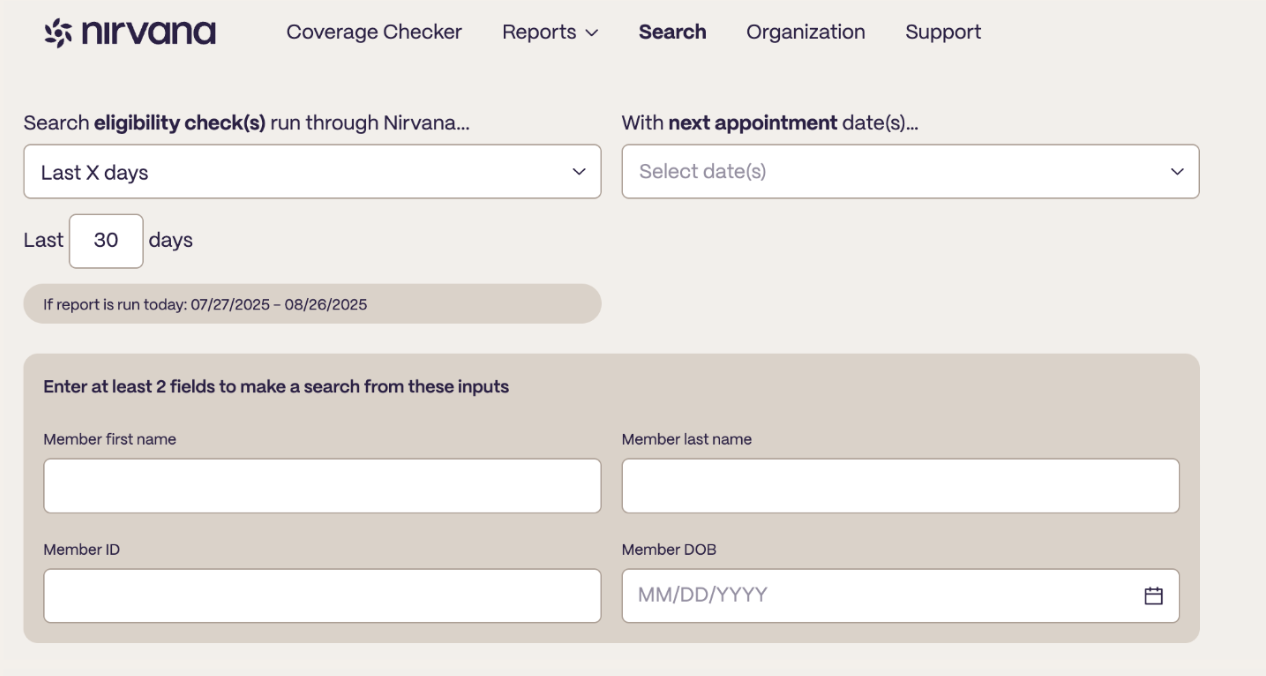
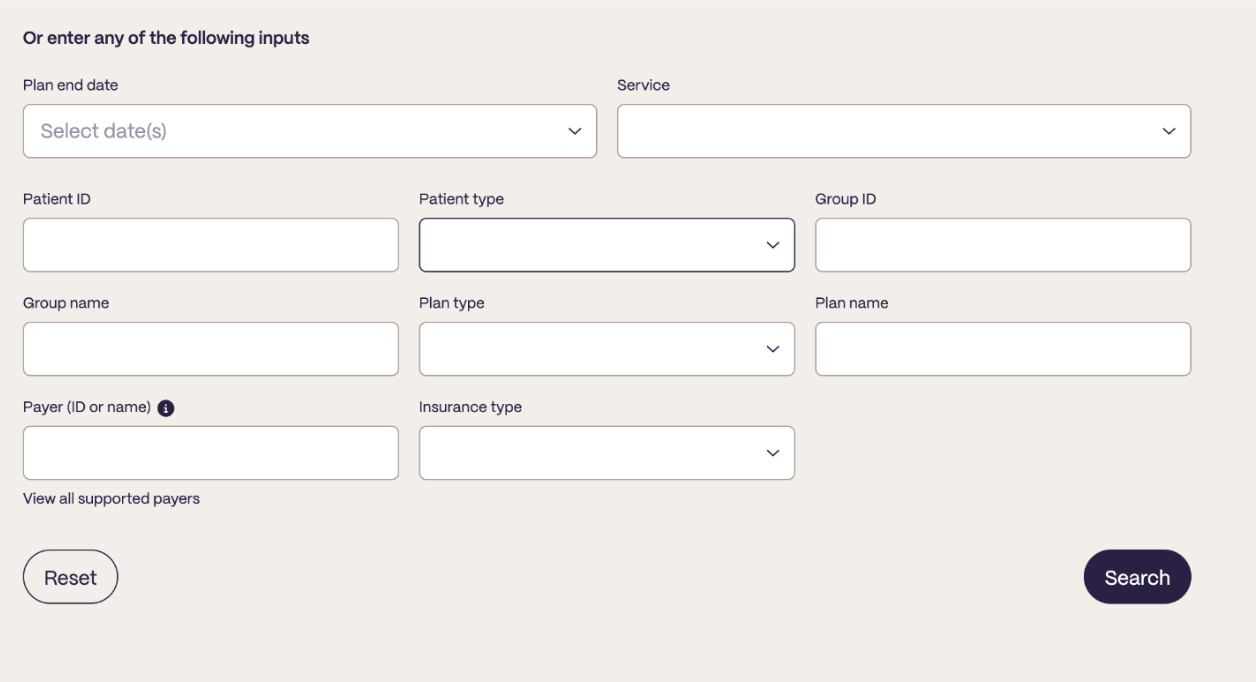
Once you perform a search, you'll be able to select and sort columns in the same way you can from the Reports tab.
Searching for a specific patient
When searching for a specific patient, we require that you search with at least 2 of the following inputs:
- Patient ID
- Member ID
- Member DOB
- Member First Name
- Member Last Name
Please note that Date filters are based on the date the check was made.
Searching for a group of patients
When searching for a group of patients, we require that you search with at least 1 of the following inputs:
- Group ID
- Group Name
- Plan Name
- Payer (ID or Name)
Updated about 1 month ago