

Noridian
Please reach out to your CSM to confirm once you have completed the required attestation. If you have not completed and confirmed completion of all required attestations by May 11, you will be unable to run Medicare checks.
Use these steps to attest that Nirvana is authorized to run Medicare eligibility checks (270/271) on your behalf through EDISS Connect.
Step 1: Log into EDISS Connect
- Go to: https://connect.edissweb.com
- Log into your EDISS Connect account.
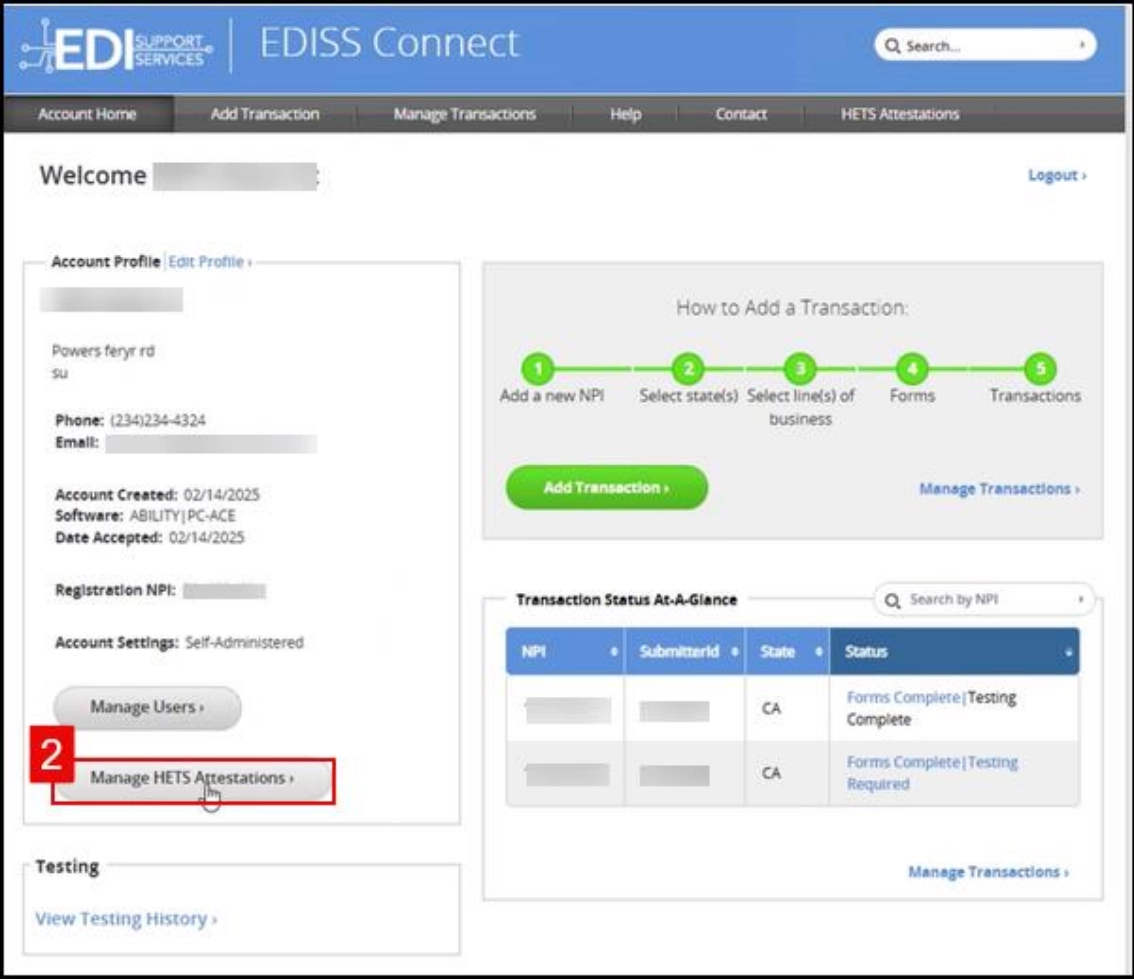
Step 2: Navigate to HETS Attestations
- After logging in, select Manage HETS Attestations from the left-hand menu.
- You will see a list of any existing attestations (if applicable).
Step 3: Create a new attestation
- Click Create New Attestation.
- Select the NPI you are creating the attestation for.
- Only NPIs tied to your EDISS account will appear.
- Click Continue.
Step 4: Accept terms and conditions
- Review the CMS EDI Enrollment Terms and Conditions.
- Review the HETS Rules of Behavior.
- Check both agreement boxes.
- Click Accept & Continue.
You cannot proceed unless both boxes are checked.
Step 5: Enter the Trading Partner Unique ID
- In the Unique ID field, enter: 274B
- Confirm that the Submitter Name auto-populates.
Step 6: Set dates and contact information
- Enter an Effective Date (recommended: today's date).
- Enter a Termination Date (recommended: two years, minimum one year).
- Enter a Primary Email Address.
- Enter an Alternate Email Address (must be different from the primary).
- Select Yes or No for “Use of NPI by organizations outside the US?”
Step 7: Submit the attestation
- Review all entered information.
- Click Submit.
You should see a confirmation message stating “HETS Attestation created successfully.”
Important notes
- Attestation is required per NPI.
- If you have multiple NPIs, repeat these steps for each one.
Summary
- Log into EDISS Connect
- Go to Manage HETS Attestations
- Create a new attestation for your NPI
- Enter Unique ID 274B
- Submit and confirm
This completes your CMS eligibility attestation through EDISS.
Additional Information:
Updated 4 months ago
Did this page help you?